PandaFile adds AtomStack, Silhouette and LaserPecker formats
By Sébastien · · 4 min read
Workshops accumulate projects from many different applications: AtomStack, Silhouette Studio, LaserPecker, LightBurn, xTool and more. The latest PandaFile update expands its catalog and adds dedicated shortcuts for finding these files in a local library.
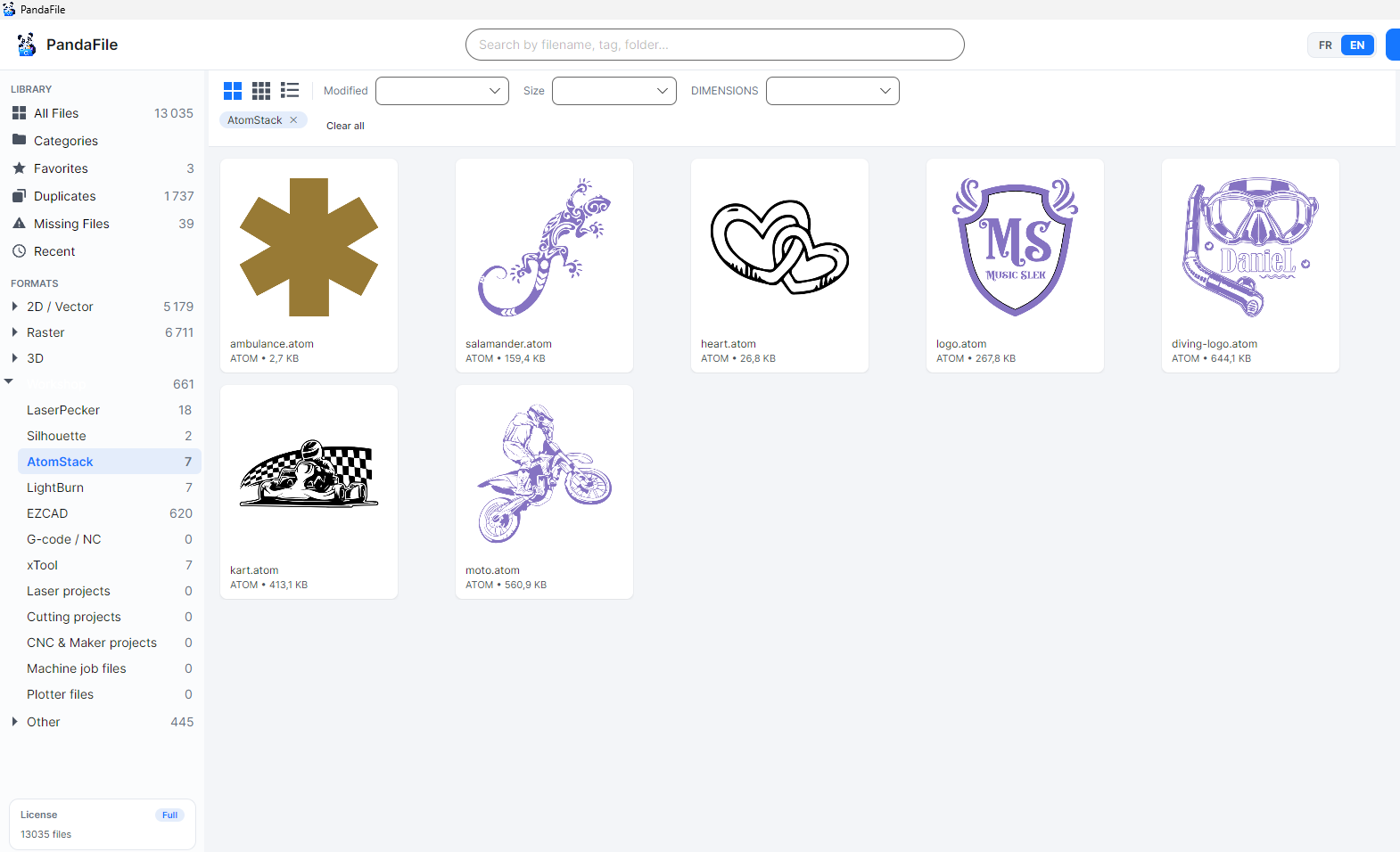
Dedicated filters for workshop software
The sidebar now lets you filter AtomStack, Silhouette and LaserPecker projects directly. Their extensions are recognized during indexing, including AtomStack `.atom`, Silhouette `.studio` and `.studio3`, and LaserPecker `.lp2`. Other additions cover xTool, FLUX, Snapmaker, RDWorks, EZCAD, G-code and plotter files.
These filters complement the existing categories. An SVG or DXF keeps its usual file type classification: PandaFile does not turn it into a proprietary project just because it is used for laser cutting. See the supported formats guide for the full list.
Thumbnails when a real preview is available
Recognizing an extension and rendering a thumbnail are separate capabilities. PandaFile shows previews for structures it can actually read. When it has no reliable renderer, the file remains visible with its format icon and general information.
Your files stay where they are
PandaFile indexes the folders you choose without moving or converting files. Search by name, filter by software or extension, then open a document with its Windows-associated application. A machine file such as G-code remains a document to inspect or open manually: PandaFile does not send it to a machine.
For more library tips, see organizing laser cutting files and previewing files without opening their design software.
Download PandaFile and add the folder that contains your projects.
Frequently asked questions
Does PandaFile create a thumbnail for every new format?
No. An extension can be recognized and filtered even when there is no content reader capable of creating a thumbnail. A preview appears only when a real renderer is available for that format.
Does PandaFile modify or convert my projects?
No. Indexing leaves files in place and does not convert them. To open a project, PandaFile uses the Windows-associated application when available.
Topics